Context
The Winheberg game panel is in English by default. If you prefer browsing in French, the interface language can be changed in a few clicks from your account settings, with no impact on your server.
Even though technical terms often stay in English (Console, Schedules, SFTP), switching the panel to French makes day to day navigation more comfortable, especially for menus, confirmation buttons and server status messages.
This guide shows you where the setting is, how to apply it, and what to expect on the translation side.
Prerequisites
- A Winheberg client account with at least one active game server
- Access to the game panel at
https://panel.winheberg.com/ - Being logged in to your account on that panel
1. Open your account settings
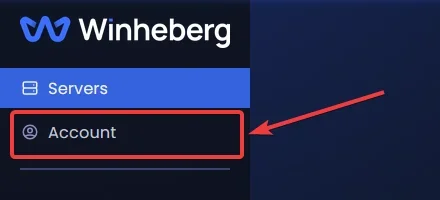
From your server dashboard, click Account in the left side menu.
2. Find the Appearance section
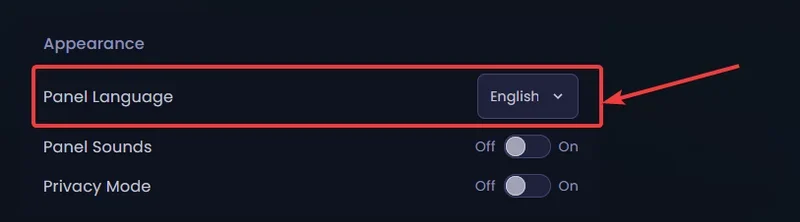
Scroll down the page to the Appearance section. It contains the Panel Language field, a dropdown menu with two options.
| Language | Value in the menu |
|---|---|
| English | English |
| French | French |
3. Select your language
Click the Panel Language dropdown and pick the language you want. The change applies immediately, with no page reload and no server restart.
The French translation of the panel is not 100 % complete. Some labels, messages or tooltips remain in English or are only partially translated depending on the section. This has no effect on how your server runs, but if a French term looks ambiguous, refer to its original English wording.
Need help?
If you cannot find the language option or if the game panel does not switch correctly, our support team is available. Open a ticket in the Technique department from your client area, fill the Related Product field with the server concerned, mention the browser you use and attach a screenshot of the Account page.
Your Winheberg game panel is now in the language of your choice 🎮